
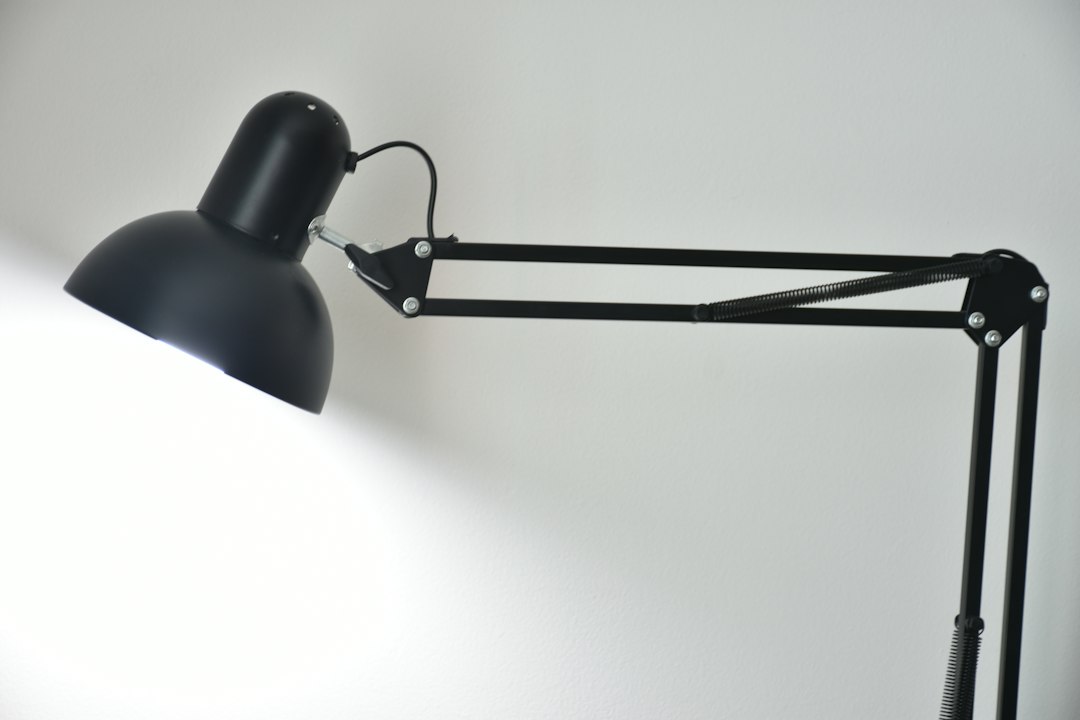
Motion Sensor Exposed Bulb Reading Lamp for Home Office Lighting
A motion sensor exposed bulb reading lamp can be a smart addition to your home office, offering convenience, energy savings, and targeted lighting for your workspace. These lamps automatically turn on when you approach and off when you leave, ensuring you always have light when you need it without having to fumble for switches. The exposed bulb design often provides a wider, more ambient light spread, which can be beneficial for reducing eye strain during long working sessions, especially when paired with the right bulb type. They’re particularly useful for home offices where you might step away frequently or have other tasks that demand your attention, making the lighting solution truly hands-free.
Understanding Motion Sensor Reading Lamps
These aren’t just your typical desk lamps. A motion sensor reading lamp integrates smart technology to react to your presence. The “exposed bulb” aspect refers to the design where the light source, the bulb itself, is visible and not enclosed by a shade, leading to a more direct and often broader light emission. This combination creates a functional and efficient lighting tool for a modern home office.
How Motion Sensors Work in Lamps
Motion sensors in lamps typically employ Passive Infrared (PIR) technology. These sensors detect changes in infrared radiation, which is emitted by warm bodies like humans. When you enter the sensor’s field of view, the change in IR levels triggers the lamp to turn on.
PIR Sensor Sensitivity and Range
The sensitivity and range of a PIR sensor can vary. Higher sensitivity means it can detect smaller movements or objects further away. For a reading lamp, a moderate range is usually sufficient – enough to detect you at your desk, but not so much that it’s triggered by someone walking past a distant doorway. Some lamps offer adjustable sensitivity, which can be useful for fine-tuning its behavior in your specific office layout. For instance, if your desk is in a high-traffic area, you might want to reduce the sensitivity to avoid false triggers. Conversely, if you tend to lean back from your desk, a higher sensitivity ensures the light stays on.
Auto-Off Timers and Delay Settings
A crucial feature of motion sensor lamps is the auto-off timer. Once motion is no longer detected, the lamp will stay on for a predetermined period (e.g., 30 seconds, 1 minute, 5 minutes) before automatically turning off. Many lamps allow you to adjust this delay. A shorter delay saves more energy, but a longer delay can prevent the light from flickering off if you remain still for a moment. This adjustable delay is key to balancing energy efficiency with user convenience. You wouldn’t want the light to turn off while you’re deep in thought, for example.
The Benefits of Exposed Bulb Design
The exposed bulb design isn’t just an aesthetic choice; it has practical implications for lighting your workspace. Without a restrictive shade, light disperses more widely.
Wider Light Distribution
Unlike lamps with shades that focus light in a narrow beam, an exposed bulb can illuminate a larger area. This can be beneficial for a home office where you might not just be looking at a book or screen, but also at papers spread across your desk, or even need some ambient light for the immediate surroundings. It helps reduce harsh contrasts between the bright spot of your task and the darker areas of the room, which can contribute to eye strain.
Heat Dissipation
With no shade to trap heat, exposed bulbs often dissipate heat more effectively. This is particularly relevant for incandescent or halogen bulbs, though less so for modern LED bulbs that run cooler. Better heat dissipation can potentially extend the lifespan of certain bulb types and ensures the lamp itself doesn’t become excessively warm to the touch.
Aesthetic Considerations
Aesthetically, exposed bulb designs often lend themselves to industrial, minimalist, or vintage decor styles. Many feature Edison-style filament bulbs, which add a warm, inviting glow and a touch of character. This design choice can significantly contribute to the overall ambiance of your home office, moving beyond purely functional lighting to something that enhances the space.
Key Features to Look for in a Home Office Reading Lamp
Choosing the right motion sensor exposed bulb reading lamp involves considering several specific features to ensure it meets your home office needs. Beyond the basic motion sensing and exposed bulb design, there are practical aspects that will greatly influence your experience.
Bulb Compatibility and Type
The type of bulb your lamp can accommodate is a major factor, influencing light quality, energy consumption, and longevity. Exposed bulb lamps are often designed to showcase the bulb itself, so its appearance matters.
LED Bulbs: The Modern Standard
LED bulbs are overwhelmingly the best choice for a home office reading lamp. They are incredibly energy-efficient, consuming significantly less power than traditional incandescent or halogen bulbs. This translates directly into lower electricity bills, especially with a lamp that might be on for extended periods. Furthermore, LEDs have an exceptionally long lifespan, often lasting tens of thousands of hours, meaning you won’t be replacing bulbs frequently.
Color Temperature (Kelvin)
For a reading lamp, the color temperature of the LED bulb is crucial. It’s measured in Kelvin (K).
- Warm White (2700K-3000K): This color temperature emits a yellowish-white light, similar to traditional incandescent bulbs. It’s often perceived as cozy and relaxing, suitable for evening work or for creating a comfortable atmosphere. However, for highly focused tasks, it might not be ideal as it can induce sleepiness.
- Cool White (3500K-4500K): This range provides a neutral white light that’s less yellow than warm white but not as blue as daylight. It’s a good balance for general office work, promoting alertness without being overly harsh. Many find this ideal for daily tasks.
- Daylight (5000K-6500K): This mimics natural daylight, offering a crisp, bluish-white light. It’s excellent for tasks requiring high concentration, detail work, and color accuracy, as it can boost alertness and reduce eye strain. However, some find it too stark for long periods, especially in the evening.
For a reading lamp, a color temperature in the 3500K-5000K range is often recommended, as it strikes a balance between comfort and productivity. Some advanced lamps might even offer tunable white LEDs, allowing you to adjust the color temperature based on the time of day or your task.
Brightness (Lumens)
Brightness is measured in lumens, not watts (watts measure energy consumption). For a reading lamp, you’ll want sufficient lumens to illuminate your workspace without being overwhelming. A good range for a desk lamp is often between 400 and 800 lumens, depending on your ambient room lighting and personal preference. If you prefer a very bright task light, you might go higher, but remember that too much brightness can also cause eye fatigue.
Dimmable Options
Even with motion sensing, dimmability is a highly desirable feature. It allows you to adjust the light output to suit different tasks or times of day. For example, you might want full brightness for detailed reading but a softer light for reviewing documents or working on your computer later in the evening. Many exposed bulb lamps are compatible with dimmable LED bulbs, and some even incorporate touch-sensitive dimming controls directly on the lamp base or arm.
Adjustability and Ergonomics
The physical design of the lamp, particularly its adjustability, plays a significant role in its usefulness as a reading lamp.
Flexible Arms and Swivel Heads
A lamp with a flexible or articulated arm allows you to position the light precisely where you need it. This is crucial for a reading lamp, as optimal lighting for reading depends on the angle and distance of the light source to your material. A swivel head further enhances this flexibility, letting you direct the light without having to move the entire lamp base. Gooseneck designs are particularly common for exposed bulb lamps due to their simple yet effective adjustability.
Stable Base or Clamp Mount
For a reading lamp, stability is key. A heavy, stable base prevents the lamp from toppling over, especially if it has a flexible arm that extends the light source away from the center. Alternatively, clamp-mount lamps are excellent for saving desk space, securely attaching to the edge of your desk or a shelf. Ensure the clamp is robust and has protective padding to prevent damage to your furniture. Consider the thickness of your desk when looking at clamp options.
Additional Smart Features and Controls
While motion sensing is the primary smart feature, some lamps offer even more advanced functionalities.
Manual Override Switch
It’s always a good idea for a motion sensor lamp to have a manual override switch. This allows you to keep the lamp on continuously, regardless of motion detection, or to turn it off completely even if motion is detected. This is useful for situations where you might need constant light, or when you want to conserve power by keeping it off even when at your desk (e.g., during daylight hours).
USB Charging Ports
Many modern desk lamps, including some motion sensor models, integrate USB charging ports. This is incredibly convenient for charging your phone, tablet, or other USB-powered devices directly from your lamp, reducing clutter and freeing up wall outlets. Ensure the USB port provides sufficient amperage (e.g., 2.1A or higher) for faster charging of larger devices.
Optimizing Your Home Office Lighting Setup
Integrating a motion sensor exposed bulb reading lamp into your home office goes beyond just plugging it in. To truly maximize its benefits, consider how it interacts with other light sources and your overall workspace environment.
Layering Light: Ambient, Task, and Accent
Effective home office lighting often involves a layering approach, combining different types of light to achieve a balanced and functional environment. Your motion sensor reading lamp primarily serves as a task light, but its exposed bulb design can also contribute to ambient light.
Ambient Lighting (General Illumination)
Ambient light provides the overall illumination for your room. This could come from overhead ceiling lights, flush mounts, or even floor lamps. The goal of ambient light is to make the room feel comfortable and prevent harsh contrasts between bright areas (like your task light) and dark corners. If your motion sensor lamp has a powerful, wide-spreading exposed bulb, it might contribute more to ambient light than a typical desk lamp with a focused shade. However, it shouldn’t be your sole source of ambient light.
Task Lighting (Your Reading Lamp’s Primary Role)
This is where your motion sensor exposed bulb reading lamp shines. Task lighting is specifically designed to illuminate your immediate workspace for focused activities like reading, writing, or working on a computer. The key is to position it so it directly illuminates your work surface without creating glare on your screen or shadows on your documents. The adjustability of your lamp will be crucial here. The motion sensor ensures this task light is there when you need it, hands-free.
Accent Lighting (Decorative and Mood-Setting)
Accent lighting is used to highlight specific features in your room, like artwork, plants, or architectural details. While not directly functional for work, it adds depth, interest, and personality to your home office. While your exposed bulb reading lamp isn’t typically an accent light, its unique design (especially with an Edison bulb) can certainly add to the aesthetic appeal and overall “vibe” of your office, subtly contributing to the accent layer.
Positioning for Optimal Performance and Reduced Glare
Proper placement of your motion sensor reading lamp is paramount for comfort and effectiveness.
Avoiding Shadows and Glare
The primary goal is to illuminate your work without creating distracting shadows or uncomfortable glare.
- For right-handed individuals: Place the lamp on your left side to prevent your hand from casting a shadow over your writing or reading material.
- For left-handed individuals: Place the lamp on your right side for the same reason.
- General placement: Position the lamp so the light falls directly on your work surface from slightly above or to the side, not directly into your eyes or reflecting harshly off your screen. The exposed bulb design can sometimes be prone to glare if not positioned carefully, as there’s no shade to block direct light. If you primarily work on a computer, ensure the light source isn’t directly behind you, causing reflections on your screen.
Sensor Field of View
Remember your motion sensor’s field of view. Position the lamp so that its sensor can reliably detect your presence at your desk without being triggered by movement outside your immediate workspace (e.g., people walking past a window or in an adjacent room). Test the sensor’s range and sensitivity once the lamp is in place. You might need to adjust the lamp’s angle slightly or, if available, its sensitivity settings.
Incorporating Natural Light
Don’t underestimate the power of natural light. Maximize daylight by positioning your desk near a window, if possible. Your motion sensor reading lamp should complement, not replace, natural light.
Balancing Artificial and Natural Light
On bright days, your motion sensor lamp might not even need to turn on, or it might only activate when natural light levels drop. On overcast days or in the evenings, it becomes essential. The goal is to create a seamless transition, where your artificial light steps in to maintain consistent illumination as natural light fades. Using a bulb with a color temperature close to daylight (4000K-5000K) can help create a more natural-feeling environment when combined with window light.
Window Placement and Blinds
If your desk is near a window, consider the sun’s path throughout the day. Direct sunlight can cause harsh glare on your screen or workspace. Use blinds, curtains, or sheer shades to diffuse direct sunlight and control its intensity, allowing you to enjoy the benefits of natural light without its drawbacks. Your motion sensor lamp will then provide fill light as needed.
Maintenance and Troubleshooting Tips
Even the most advanced lighting solutions require a little care to ensure they perform optimally. Motion sensor exposed bulb reading lamps are no exception. Knowing how to maintain them and troubleshoot common issues can save you time and frustration.
Cleaning the Lamp and Sensor
Regular cleaning is important for both aesthetics and functionality.
Dusting the Exposed Bulb
Since the bulb is exposed, it’s more prone to collecting dust. A dusty bulb can reduce light output and sometimes even affect light quality. Ensure the lamp is off and cool before gently wiping the bulb with a dry, soft microfiber cloth. Avoid using harsh chemicals or abrasive materials, which can damage the bulb’s finish or coating. For filament bulbs, be extra gentle as the filaments can be delicate.
Keeping the Motion Sensor Clear
The motion sensor lens needs to be kept clean and unobstructed for it to function correctly. Dust, fingerprints, or even small debris can interfere with its ability to detect infrared radiation. Periodically wipe the sensor lens with a clean, dry, soft cloth. Avoid placing objects directly in front of the sensor that could block its field of view, even temporarily. This includes stacks of papers, books, or even larger desk accessories.
Common Troubleshooting for Motion Sensors
Motion sensor lamps are generally reliable, but occasionally they can act up. Here are some common issues and their solutions.
Lamp Not Turning On
If the lamp isn’t turning on when motion is detected, several factors could be at play:
- Power Supply: First, check if the lamp is properly plugged in and if the power outlet is working. Test the outlet with another device if unsure.
- Manual Override: Ensure the lamp’s manual override switch (if it has one) isn’t set to “off” or “always on,” which might prevent the motion sensor from activating.
- Sensor Blocked: As mentioned, check if anything is physically blocking the sensor’s view.
- Insufficient Movement: PIR sensors detect changes in heat. If you’re sitting very still for a long time, the sensor might not detect you. Try making a slight movement.
- Sensitivity Settings: If your lamp has adjustable sensitivity, it might be set too low. Increase the sensitivity and test again.
- Ambient Temperature: In very hot environments, if your body temperature is close to the ambient temperature, the PIR sensor might have difficulty detecting the difference. This is rare in a typical office setting but worth considering.
- Bulb Failure: If the bulb itself is faulty, the lamp won’t light up regardless of motion detection. Replace the bulb to rule this out.
Lamp Turning On Randomly (False Triggers)
If your lamp is turning on when no one is around, it’s usually due to environmental factors:
- Heat Sources: PIR sensors can be triggered by sudden changes in heat. This could include direct sunlight hitting the sensor, drafts from an open window or air conditioning vent, or even heat from a nearby computer monitor or other electronics. Try to reposition the lamp or shield the sensor from these heat sources.
- Movement Outside the Desired Area: The sensor’s range might be too wide, detecting movement from outside your immediate workspace (e.g., pets, people walking in an adjacent hallway). If your lamp has adjustable sensitivity, try reducing it.
- Vibrations: Although less common, strong vibrations can sometimes trick a sensor. Ensure the lamp is on a stable surface.
- Insect Activity: Believe it or not, larger insects flying directly across the sensor’s lens can sometimes trigger it.
Lamp Turning Off Too Soon or Staying On Too Long
This is almost always related to the auto-off timer settings.
- Adjusting the Delay: Consult your lamp’s manual for instructions on how to adjust the auto-off delay. If it’s turning off too quickly, increase the delay time. If it’s staying on for too long after you leave, decrease the delay.
- Sensor Range/Sensitivity: If the lamp is turning off while you’re still at your desk, the sensor might not be consistently detecting your presence. Try increasing the sensitivity or slightly adjusting the lamp’s angle to ensure you’re within its optimal detection zone.
Bulb Replacement and Longevity
The lifespan of your bulb directly impacts the lamp’s overall utility.
Choosing the Right Replacement Bulb
When replacing the bulb, always refer to the lamp’s specifications for the maximum wattage or lumen output it can safely handle. Exceeding the recommended wattage can lead to overheating and damage. For exposed bulb lamps, aesthetics are often a consideration, so look for LED bulbs that match the original style (e.g., clear glass, filament design) while ensuring it has the desired brightness and color temperature. Dimmable LED bulbs are essential if your lamp has dimming capabilities.
Maximizing Bulb Lifespan
LED bulbs inherently have long lifespans, but you can maximize them further:
- Avoid Frequent On/Off Cycles (for Non-LEDs): While LEDs are largely unaffected by frequent switching, older bulb types like incandescent or CFLs can have their lifespan significantly reduced by constant on/off cycles. This is less of a concern with modern motion sensor lamps designed for LEDs.
- Proper Ventilation: Ensure the bulb isn’t enclosed in a fixture that traps heat, as excessive heat can reduce bulb lifespan. This is less of an issue with exposed bulb designs.
- Dimming: Running an LED bulb at a lower dimmed setting can sometimes extend its life even further, as it operates at a lower temperature.
By understanding these maintenance and troubleshooting tips, you can ensure your motion sensor exposed bulb reading lamp continues to provide reliable, efficient, and comfortable lighting for your home office for years to come.
Conclusion: A Smart Choice for the Modern Home Office
A motion sensor exposed bulb reading lamp isn’t just another piece of office equipment; it’s a thoughtful upgrade to your home office lighting strategy. It seamlessly blends convenience with energy efficiency, ensuring light is available precisely when and where you need it, without requiring manual intervention. The exposed bulb design, when paired with the right LED, offers broad, inviting illumination that can reduce eye strain and contribute positively to your workspace’s aesthetic.
By carefully considering factors like bulb type, color temperature, brightness, and the lamp’s adjustability, you can tailor the lighting to your specific work habits and preferences. Remember to strategically position the lamp to optimize the motion sensor’s performance and eliminate glare, creating a comfortable and productive environment. With a little attention to maintenance and an understanding of basic troubleshooting, this type of lamp can significantly enhance your home office experience, making it a truly smart and practical investment for focused work and a pleasant atmosphere.